World and Level Design
Version 1.0
Clear Goals
Players find levels very easily and do not have to remember every information.
At least two different biomes
- Cave
- Rainforest
Meaningful Choices
Players are often given a multitude choices to solve a given problem, i.e. collect a collectible, as a team, by shifting the gravity.
Easy understandable for children and adults: Strong color contrasts and tone on tone harmony.
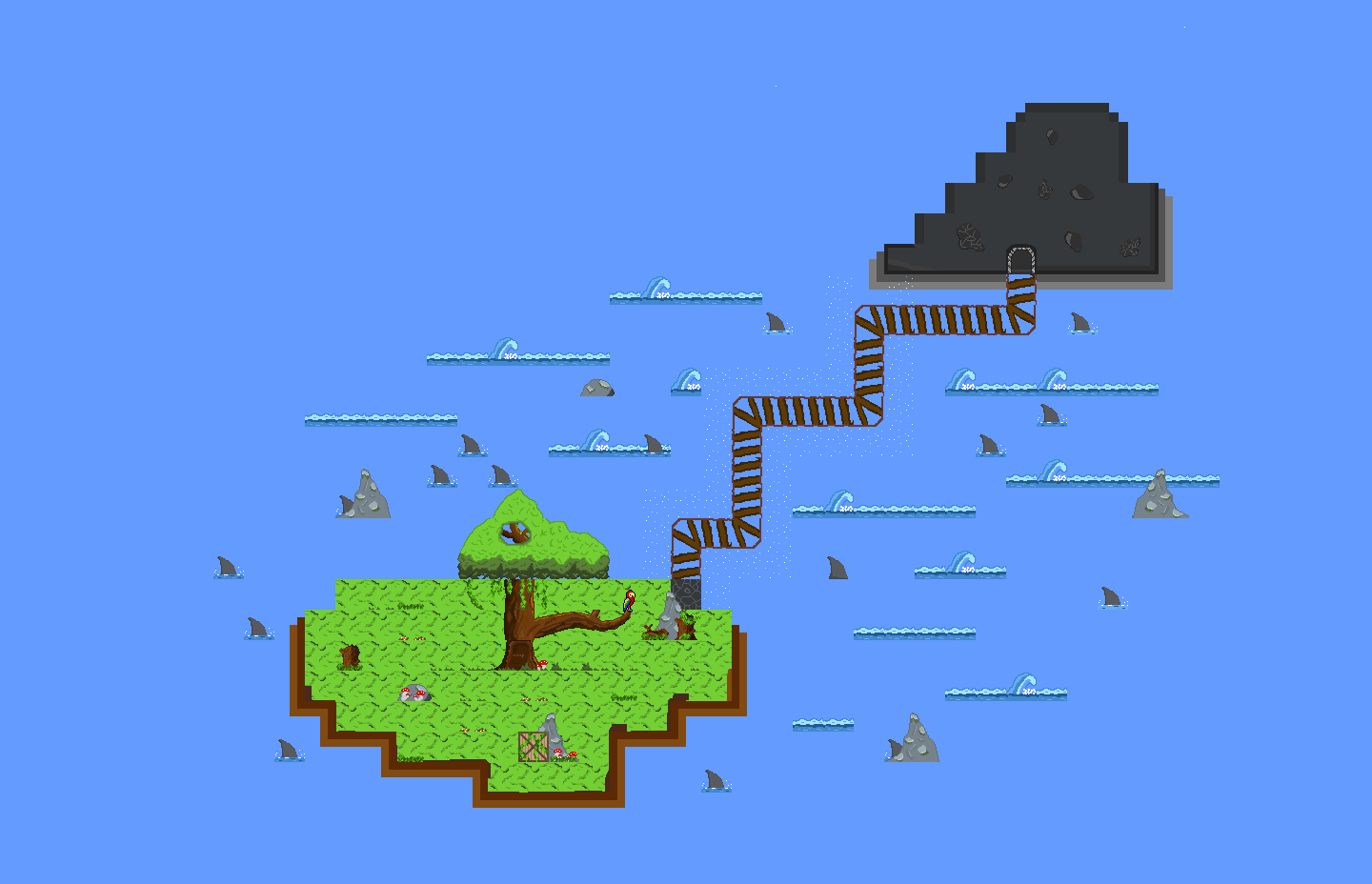
Level Chooser: Clickable islands as easy overview.
Map Design
The "Strange Galactic Friends" Moot and Major Dom can be found on an unknown planet.
There are lots of islands to discover and a lot more spaceship pieces to find, on each island.
Level Design
Different Level-Designs, for example:
- Cave (implemented)
- RainForrest (implemented)
- Halloween
Different Layers will be seen in a so called “Parallax Effect”, which means, that there will be many different layers in the game (e.g., platforms, foreground, middle ground, background, …) which all will be moving to the left (when character walks to the left) in different velocities (the more the layer is in the foreground, the faster it will move). This gives the game a 3-dimensional touch.
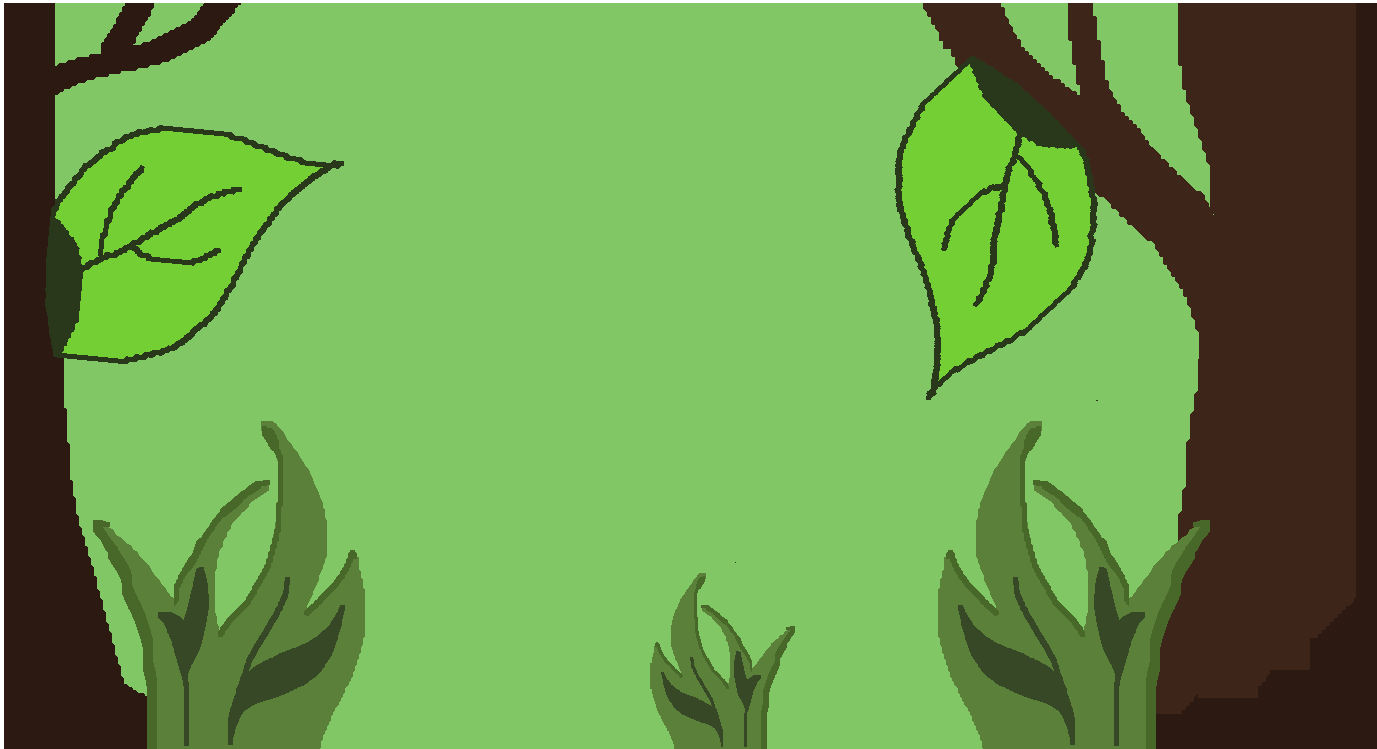
In this layer based system we can see three different layers, example 'Rain Forest':
- Green Background: moves slowly
- Trees: move a bit faster
- Bushes and Leafs: are stuck to the floor (move with the floor as character walks)
Phases of the Tutorial Level
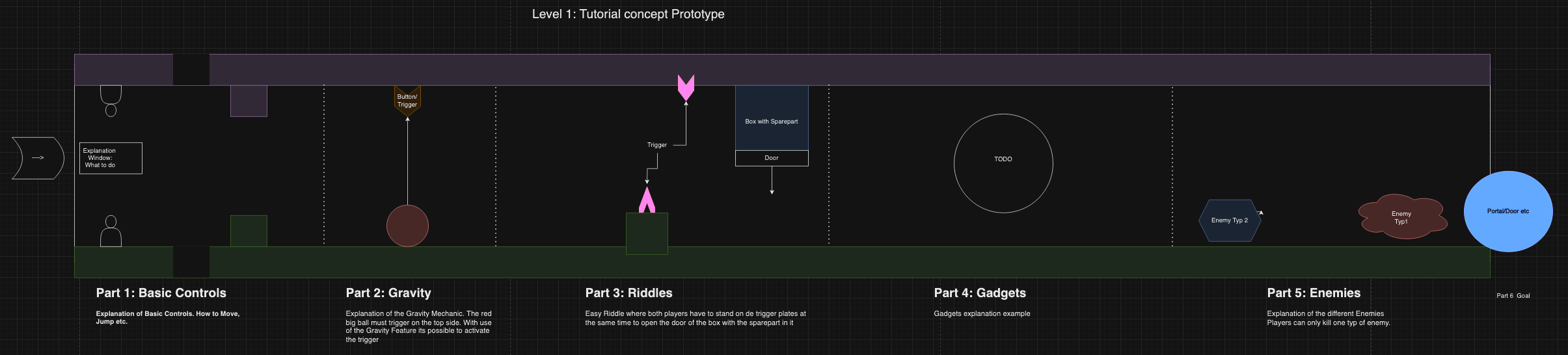
Part I: Basic Controls
- Explanation of how the players can move in terms of walking, jumping.
- Both will see each other on their screen, one at the ceiling, one at the bottom
Part II: Gravity Shift
- Explanation of how the players can interact with each other through the Gravity Shift.
- The tutorial level will provide an item like a box. The players will have to move it to the ceiling by shifting gravity.
- They will learn how to vote for a Gravity Shift (explanation window will appear) and how they can work with it.
Part III: Riddles
- Both players will have to stand on a trigger plate simultaneously, so they can get the first spaceship spare part.
Part IV: Gadgets
- Both players will find special gadgets for each character, which they can play around with.
- This part of the tutorial level is more like sandbox ('relaxing' phase), where the players can mess around without any impact on the game's progress.
Part V: Enemies
- Explanation of the enemy's abilities and which character can kill which enemy.
- Each player will have to fight the two different enemies, so they will learn, that they cannot fight every enemy (each character can attack one type of the enemies).
Conclusion: every part combined will create a so called 'Game Flow', where both players will be consistently immersed in focussing challenges, intrigues, relaxations with cut scenes and victories.
Next Levels
- Will be different in terms of the color, platform, theme and also sound design. This will be more pleasing for the players senses, because they can clearly find the difference of each level.
- Example:
- Cave Level (dark background, gloomy background sounds, special light effects with lanterns)
- Rain Forrest Level (light background, wildlife and exploratory sound effects and background music)
- Example:
- Enemies
- Will be there regularly (every 30 to 60 seconds)
- In a further stage of development, we can implement enemies, which appear faster and in a larger number, when the players come to a level's end.
- Will be different in terms of the color, platform, theme and also sound design. This will be more pleasing for the players senses, because they can clearly find the difference of each level.
General Level Creation
- We want to make level creation as easy and affordable as possible, even for designers without any programming knowledge.
- Each level is created with a block building system tool called 'Tiled'. It makes templates available with which level creators can create levels faster and more efficient. It will also help players to create their own levels in sandbox mode.
- Developers have to prepare objects, properties and possible values.
- The levels are created in a 16:9 format, so that the game can be played on every screen size.
- Component objects can be placed at specific positions in the level.
For the level creation we chose to use creative space, but also follow these specific level creation patterns:
- Spawnpoints for characters: at the beginning of each level.
- Spawnpoints for enemies: randomly in a specific time interval.
- Spawnpoints for collectibles: in the end of each level.
- Spawnpoints for storytelling entity: at random positions in each level.
- Spawnpoints for boxes: everywhere in the level, where they are needed.
- Component objects need to be instantiated at the beginning of the level creation.
- The rest of the elements will be placed statically in the level.
- Interactable elements need to be placed in interactable layers.
Example: Create rainforest/ cave themed level
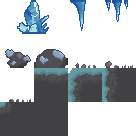
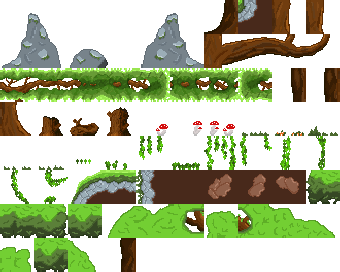
Implement tile maps into 'Tiled':
cave
rainforest
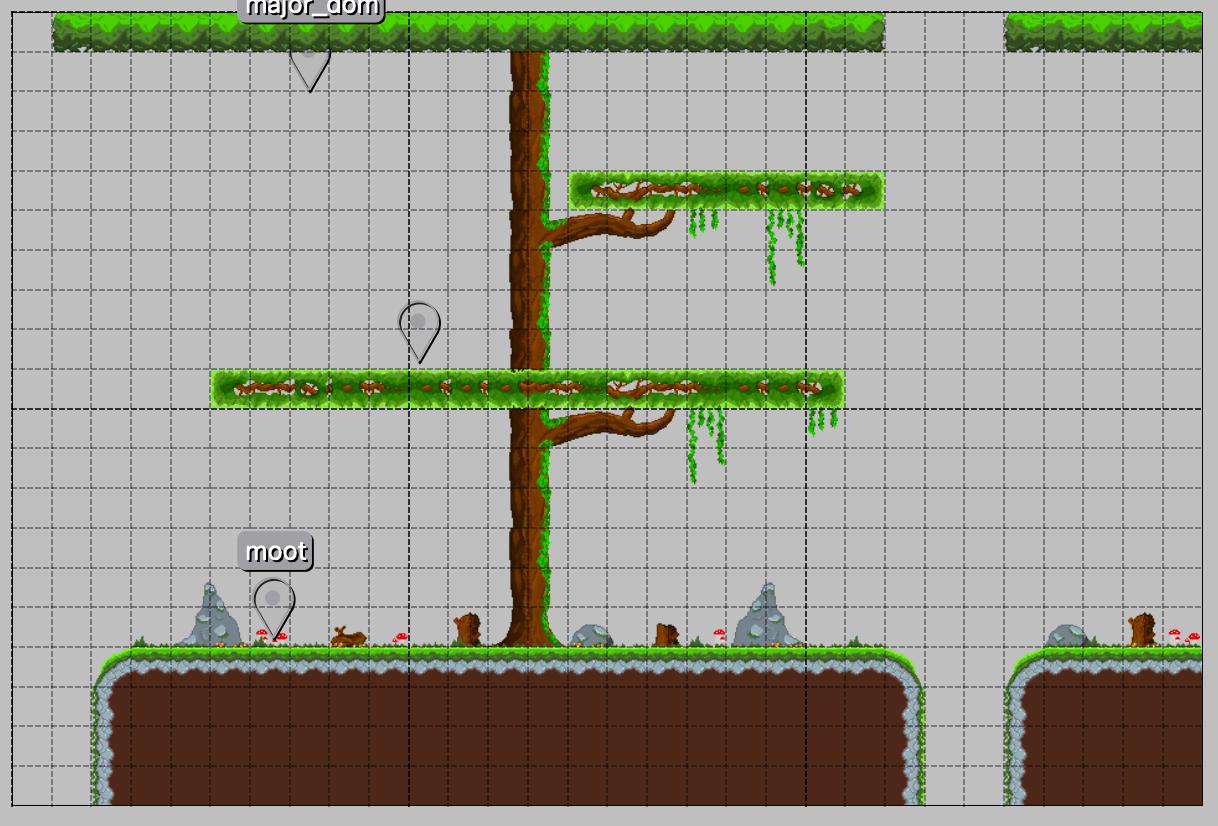
Place floor and ceiling in an interesting, creative way, so that it looks stunning to the players. Stick to the level creation patterns above.
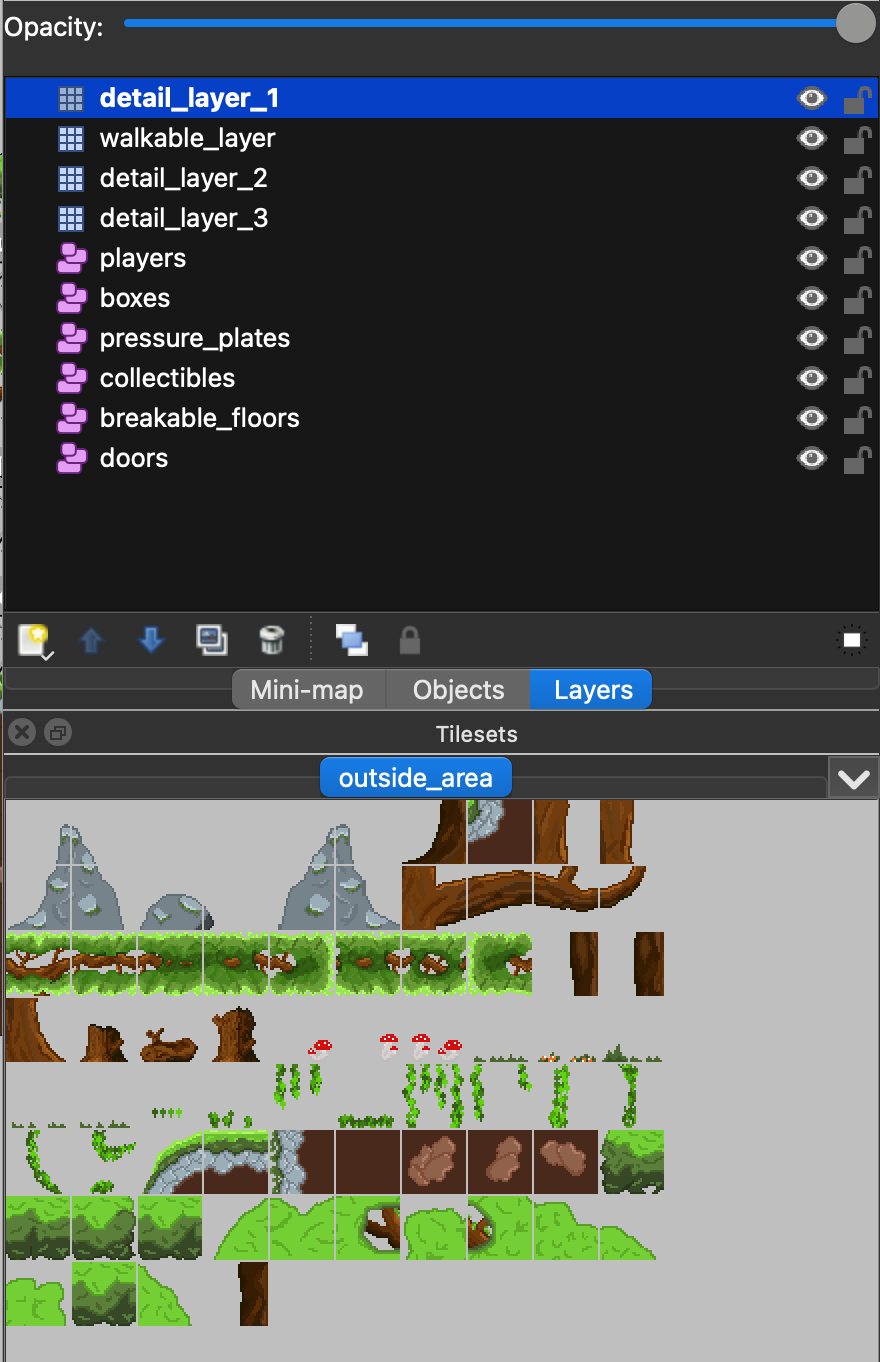 Download
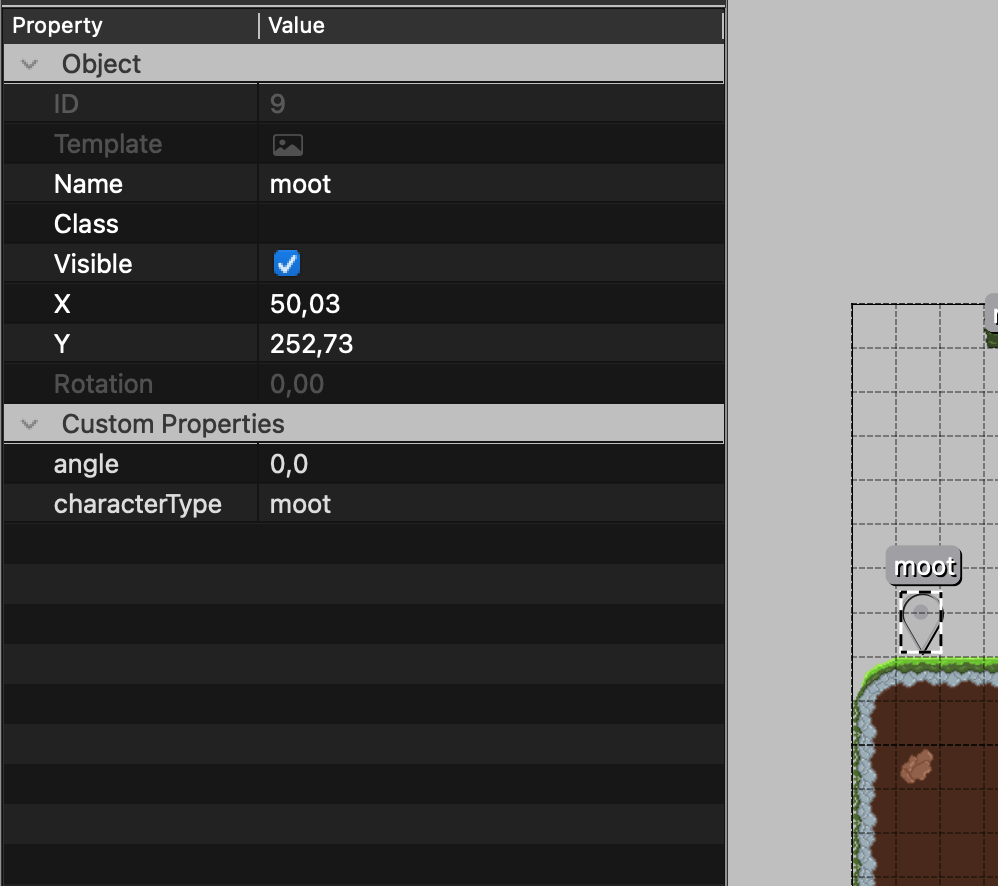
 Character spawnpoints at the beginning of the level. Here you can see the objects properties and values. Moot's spawnpoint is at the bottom and Major Dom's spawnpoint at the top. By setting the angle to 180°, the component will be flipped and can be positioned at the top. For example Major Dom will be flipped and positioned at the top.
 Download
 Place interactable elements like boxes collectibles, trap doors, breakable floors, enemies, storytelling entities and further objects in interactable layers and instantiate them.
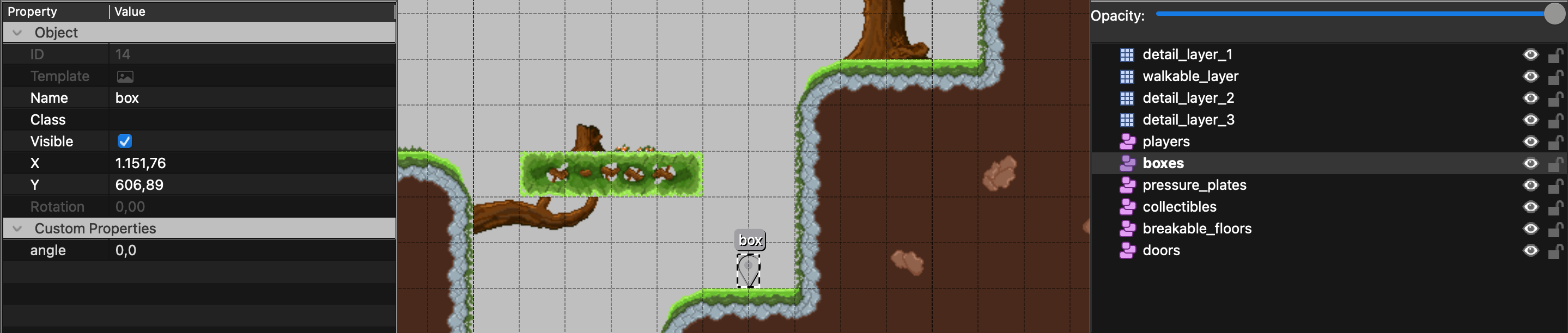 Download
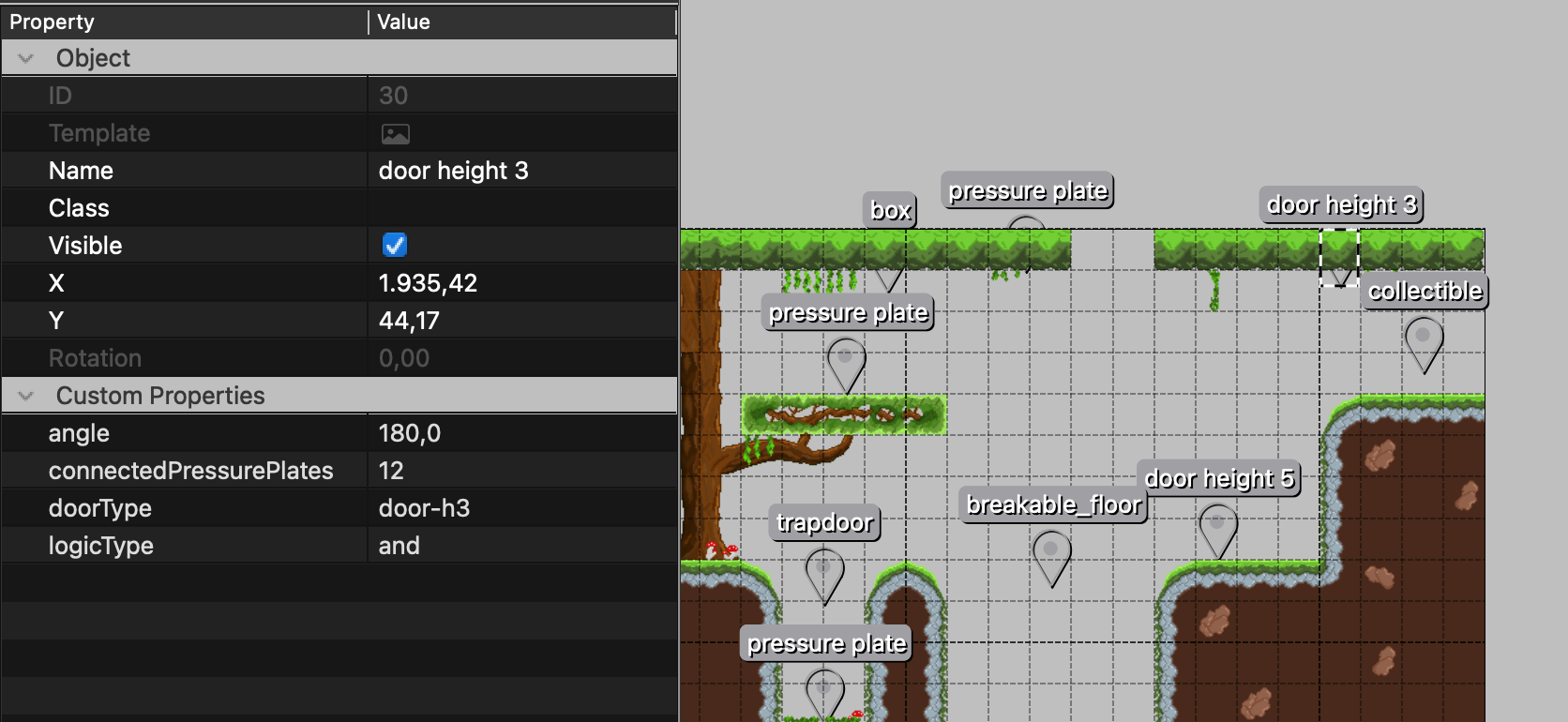
 Example: Place a door, which can be opened by a pressure plate by adding the pressure_plate id value to the door object's connectedPressurePlates value. Now: by pressing the pressure_plate, the door will open.
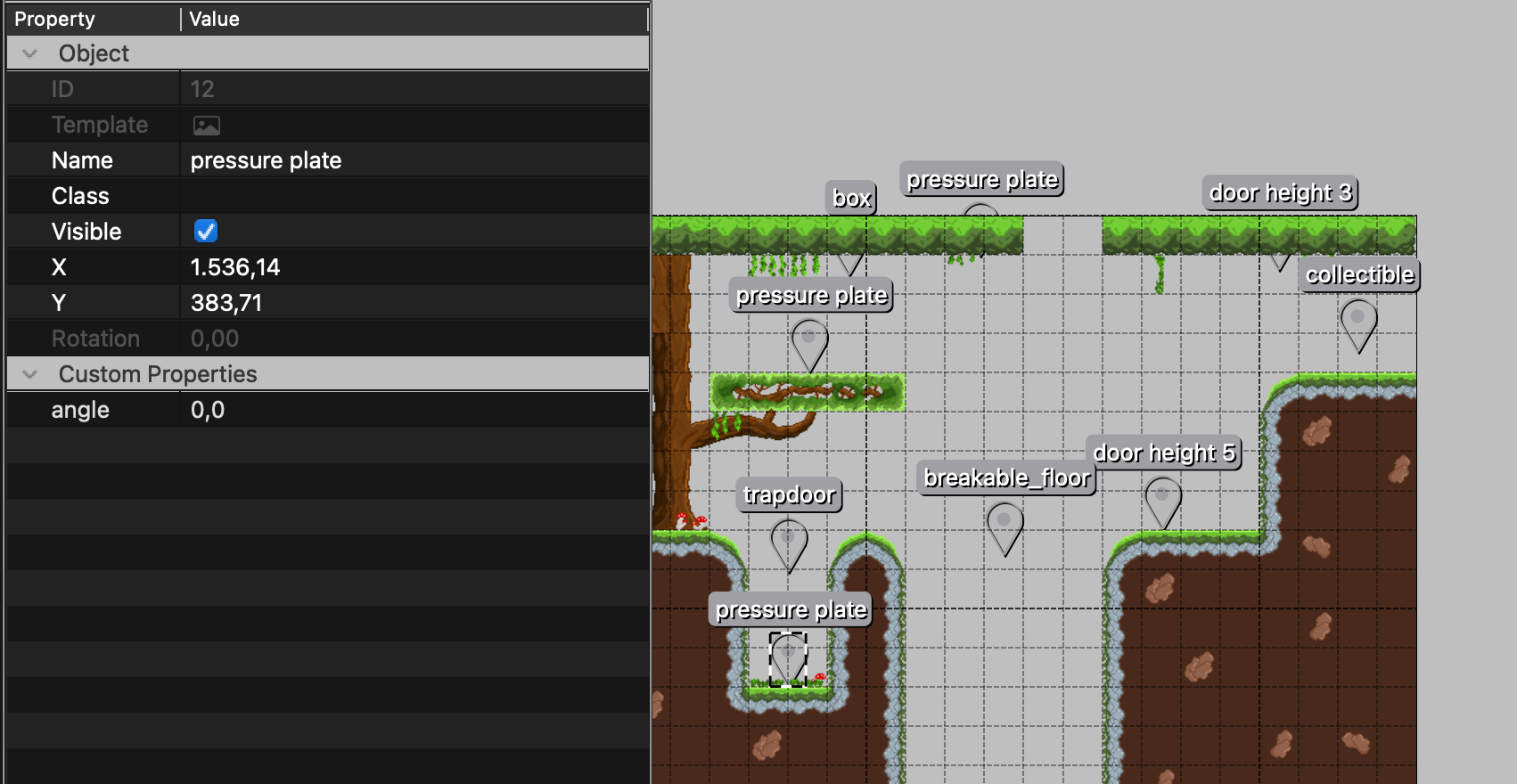 Download
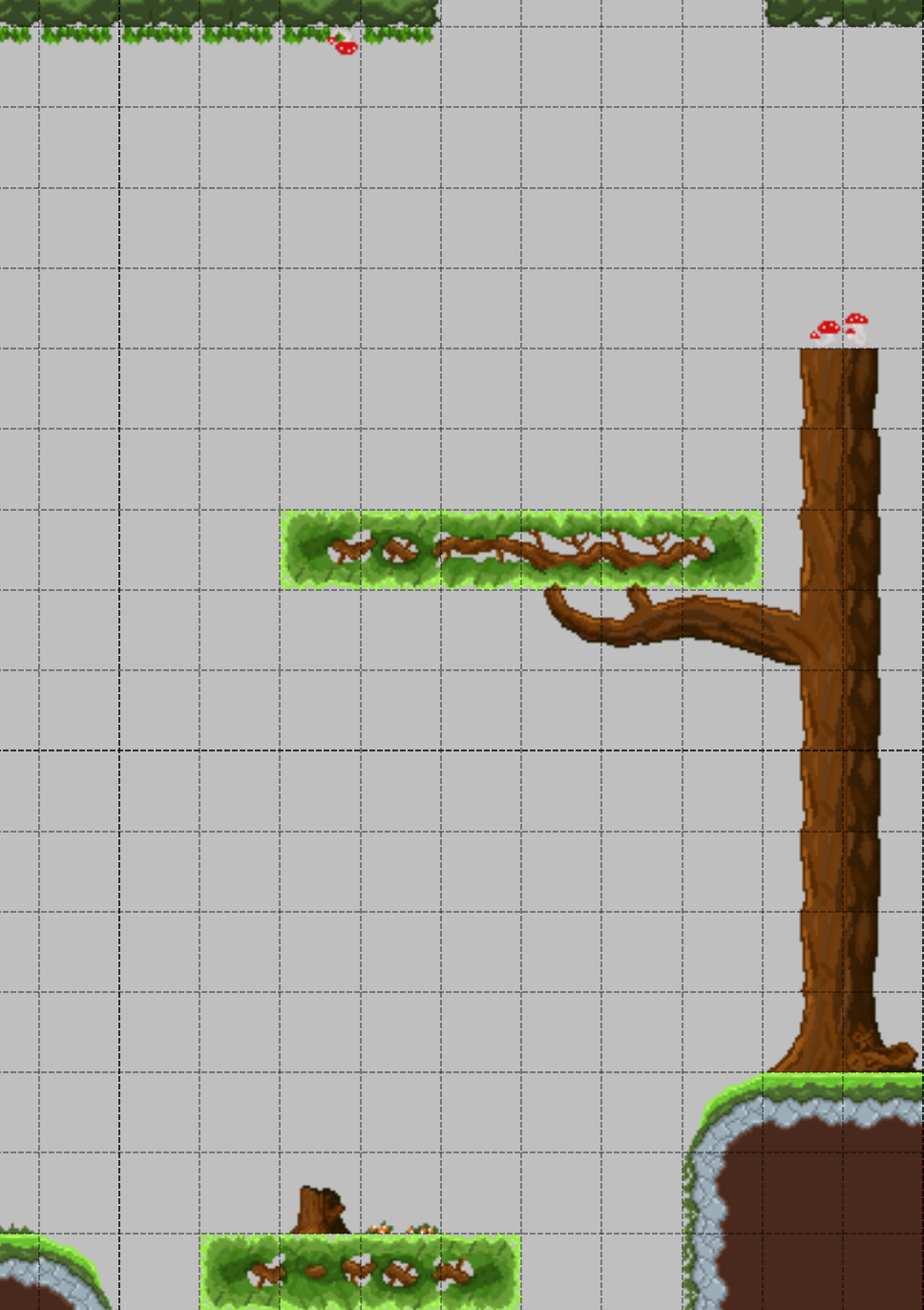
 Place background elements like trees, bushes, mushroom and other elements, which are not interactable, in a 'detail_layer_x' (x = layer arrangement, e.g. 1 = topmost layer) layer. That is only for decoration purposes.
 Download
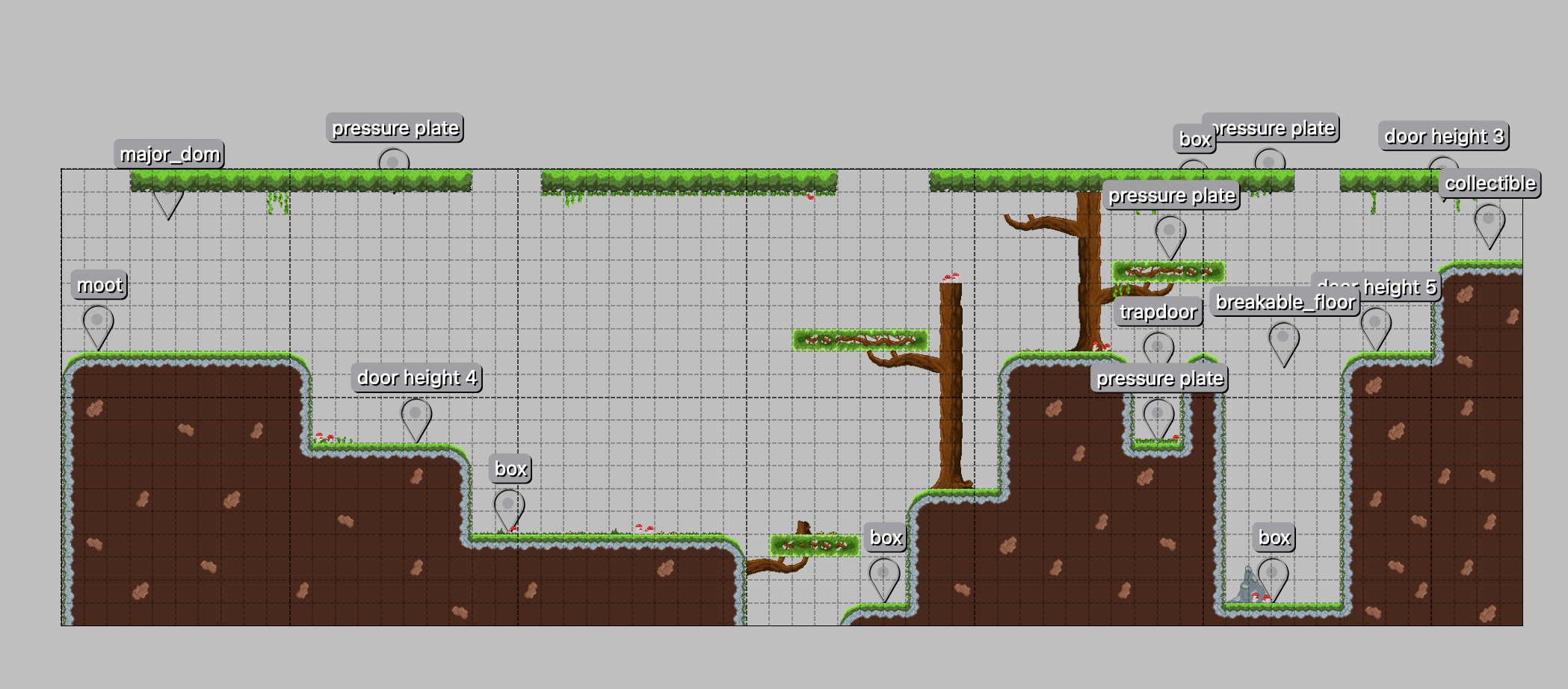
 Level creation is completed by using creativity and following the level creation patterns.
 Download
 Export the level as a JSON file and put it in the levels folder on the server.


- Just like the Super Mario Levels are split into different sections: slow beginning, introduction to parkour and then enemies. We create levels after that idea. That builds up tension and explorational feelings, because players are looking forward to what happens next, but also have to deal with challenges.
Camera
Characters will be followed by a fixed camera, so they will always appear in the camera’s central focus point.
Characters can also go outside the team viewer perspective
Team Viewer: both players will be seen on one camera system.
Each Player: can leave the camera, where both players can be seen and take their own paths. An arrow as direction indicator will show the other character's direction, which is out of the player's screen.
Player’s Perspective
- Third-Person Perspective, from the side (comparable to Super Mario Bros. perspective).
Controller
- Characters will be controlled by 'A', 'W', 'S', 'D' Keys (find more about controls in 03-characters-controls.md)
Characters
Moot | Major Dom | Enemie 1 (Legionary) | Enemie 2 (Colossus) | |
|---|---|---|---|---|
Events | Grab and eat Enemie 1, | Shoot Enemie 2, | Use Shield to protect itself from Laser Phaser Shots | Protect itself from Moot, |
Techniques | ||||
Traps | Enemie 1, | Enemie 2, | Moot's Slimy Arms | Major Dom's Laser Phaser |
Rhythms | -- | -- | Appears every 30s | Appears every 60s |
Learn more at: 01.1-gameplay-mechanics-and-specification
Sensation (sens-pleasues)
- By defeating enemies, collecting colorful gadgets, solving puzzles and spaceship parts and the fact that you will need to play with your friend in a team, brings a lot of different sens-pleasures with it.
- A storyteller alien is placed in each level to give the players a sense of direction and exploration.
Fantasy
- Gravity Shift, two Aliens, the search for spaceships parts and the different planets, initialize the fantasy world.
- Game World is designed for 'Gravity Shift' ability. That means, that everywhere is a possibility to shift it.
Narrative
Players always have the background-story of Major Dom, Moot, their friendship in mind and the goal of repairing the spaceship as a team
this dramaturgical story gives the players the feeling of pleasure and satisfaction in friendship
Challenge
- Obstacles like different enemies, boxes and the 'Gravity Shift' itself is challenging.
FellowShip
- The Game works as a social framework and place to meet. Because the players need to have a partner to solve the challenges and win the game, the game sticks two people together and let them create best friendships.
Discovery
- Every level is stored in a different environment (e.g., Rain Forrest, Cave), which means that every level brings new uncharted territory, so each player feels the will to explore every part of the map.
Expression
With the team player, intensive self-discovery is implemented by default.
That means, that each player learns a lot about themselves, their friend who they are playing with and their friendship.
Additionally, by playing the game, each player will be more capable of working in a team (even in school, at work or other projects) and build up better friendships.
Submission
- It is not our main goal to solve the following problem, but the Game will solve it automatically:
- You can use “Strange Galactic Friends” as a pastime game.
- You can find it on Steam for 5.95$ - invest in yourself!